

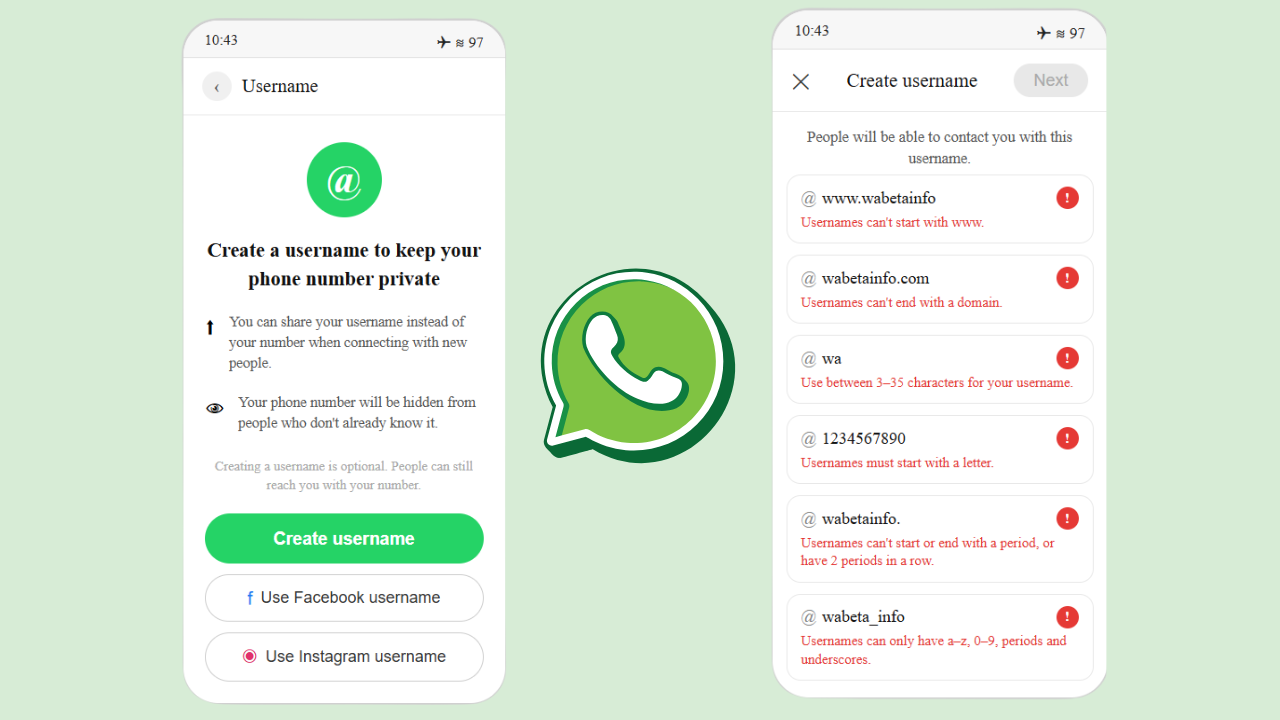
WhatsApp is working on a new feature that lets you share a username instead of your phone number with friends, family, or anyone you want to connect with. It’s a meaningful privacy upgrade for one of the world’s most widely used messaging platforms.
What Is the WhatsApp Username Feature?
The feature was first spotted by WABetaInfo in the WhatsApp beta for iOS version 26.1.10.70, and it will be compatible across Android, iOS, Windows, and Web. WhatsApp plans to roll out the username feature to users gradually over the coming months.
For now, it’s only available to a small group of testers who are trying it out and sharing feedback on whether it works well or needs improvement. WhatsApp is also monitoring its stability and performance before any wider release.
How Does It Work?
Once the feature reaches you, you’ll be able to find it in your profile settings to check if you’re eligible. Users who get access will be guided through the setup process step by step. Once a username is set, it gets linked to your WhatsApp account, and you can share it with others without ever revealing your phone number.
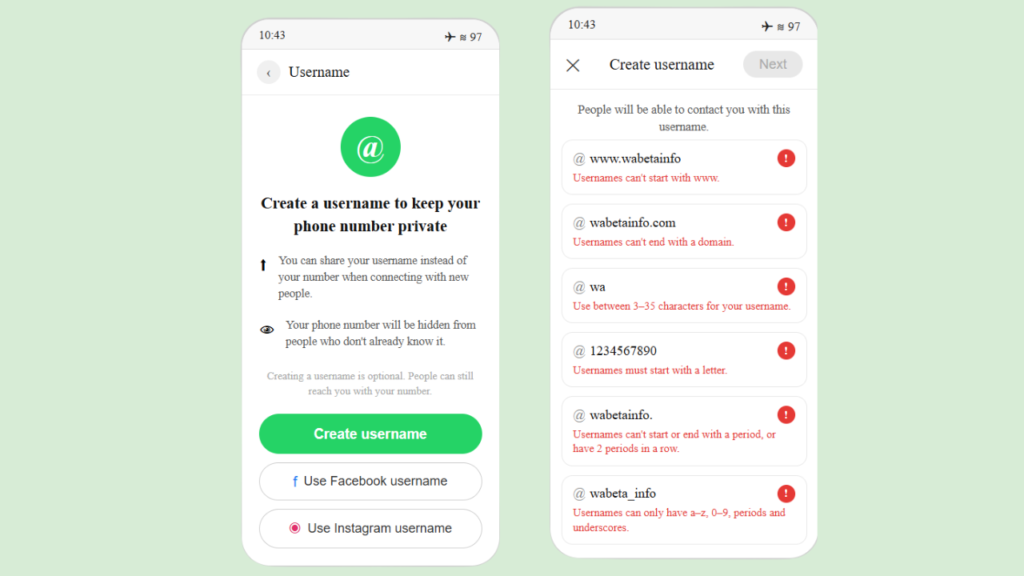
WhatsApp has also put some rules in place around how usernames can be created. They cannot start with “www”. since that could mislead people into thinking it’s an official WhatsApp link. Similarly, domain extensions like “.com” or “.net” are not allowed. Every username must contain at least one letter and one number, and only certain characters are permitted – lowercase letters (a-z), numbers (0-9), periods, and underscores. The length must be between 3 and 35 characters.
How It Connects With Meta’s Ecosystem
One notable aspect of this system is how it connects with Meta’s broader ecosystem. If you already use the same username on Instagram or Facebook, you’ll need to verify that you’re the rightful owner of that username on those platforms before you can use it on WhatsApp. This is done through Accounts Center — a central hub where you can link and manage your Meta accounts, including Facebook, Instagram, and WhatsApp, all in one place. It also unlocks some extras, like cross-posting your status to Instagram.
However, if your desired username is already taken on any Meta platform – Facebook, Instagram, or WhatsApp – you won’t be able to claim it on WhatsApp, even if it appears available there.
Looking for more ways to protect your privacy and get the most out of premium tools for free? Check out our guide on How to Get Claude Max Free for 6 Months – one of the most powerful AI assistants available right now.