


Let me explain this in a simple way…
Using Google feels like driving a car.
Using ChatGPT feels like flying in economy class.
But using Claude?
It honestly feels like having your own private jet.
And I’m not exaggerating.
Until January 2026, I was using ChatGPT just like most people. But in February, I tried Claude—and it completely changed the way I work.
Now I use it for content creation, running my business, and even managing small personal tasks.
In this post, I’ll share everything I’ve learned in a simple and beginner-friendly way.
Why I Switched to Claude AI
At first, I didn’t expect much.
I thought it would just be another AI chatbot like the others. But after using it for a few days, I realized it’s actually very different.
The biggest difference?
It’s not just about answering questions—it actually helps you work smarter.
It saves time, improves output quality, and honestly… it can help you earn more if you use it properly.
Getting Started (Very Easy)
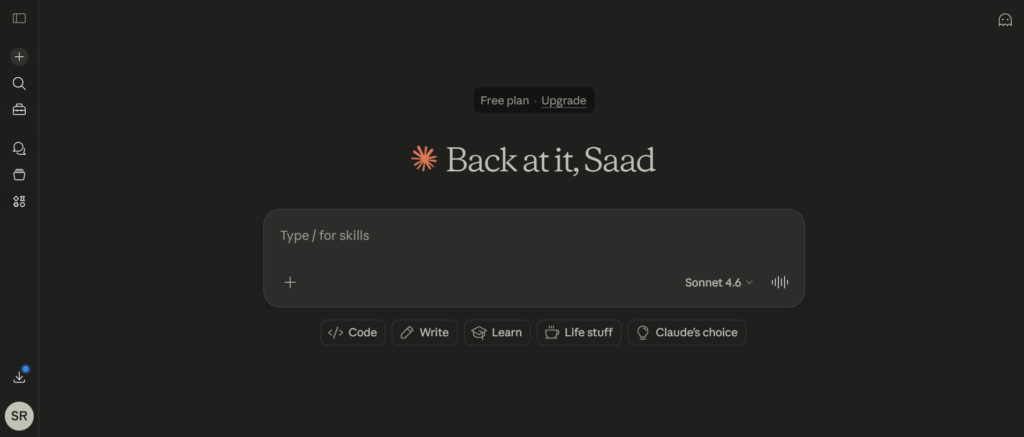
If you’re new, don’t worry—it’s super simple.
Just go to the Claude website, create your account using Gmail, verify your number, and you’re in.
You’ll see different plans, but trust me—you don’t need to pay anything in the beginning.
The free plan is more than enough to get started.
First Impression (Beginner Experience)
When you first open Claude, it might guide you with some example prompts.
This is just to help you understand how it works—you can skip it if you want.
Personally, I tried one example just to see how it responds, and it gave a surprisingly thoughtful answer.
That’s when I realized—this tool is actually powerful.
One Small Setting That Changes Everything
This is something most people ignore.
Go to settings and add your preferences.
For example, I told Claude:
“I want to improve my English vocabulary. Use advanced words sometimes and explain them.”
Now whenever I use it, I learn something new without extra effort.
Small tweak—but big impact.
How to Actually Use Claude
You can use it just like any chatbot.
Ask anything:
- News
- Content ideas
- Business help
- Writing
But here’s the truth…
Most people don’t get good results—not because the AI is bad, but because their prompts are weak.
The Mistake Most Beginners Make
They write something like:
“Help me prepare for an interview”
That’s too vague.
You need to give context.
Think of AI like a chef.
If your recipe is bad, the food won’t be good.
Simple Trick: Use This Formula
I personally follow a simple method:
- Tell it who to act as
- Give your situation
- Tell it what you want
For example:
“Act like a Google recruiter. I’m a software engineer with 2 years of experience. Help me prepare for interviews by asking questions.”
Now the response becomes way more useful.
The Feature That Blew My Mind
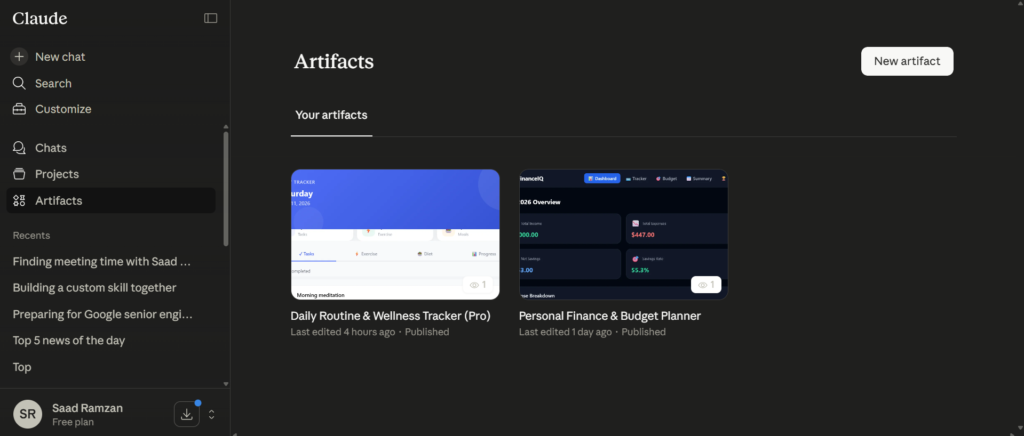
This is my favorite part—Artifacts.
With this feature, you can literally create tools or mini apps just by describing what you want.
No coding. Nothing complicated.
I once created a budget planner and daily routine planner for my business in just a few seconds. It showed how much time and money clients could save using AI.
And the crazy part?
I could even share it with others using a link.
That’s when I realized—this is not just a chatbot anymore.
Automation with Skills
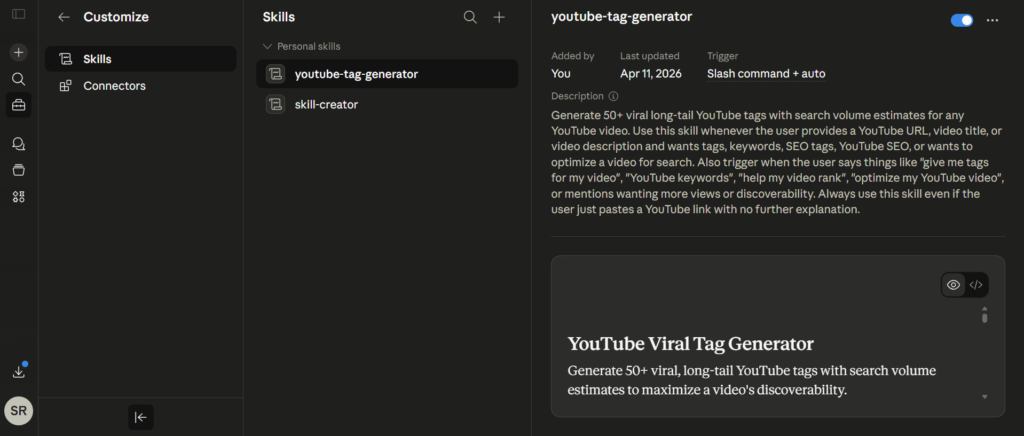
Another powerful feature is Skills.
Let’s say you do the same task again and again—like turning YouTube videos into short content ideas.
Instead of repeating instructions every time, you can create a “skill.”
After that, Claude remembers everything and does it instantly.
It saves a lot of time.
Keep Everything Organized with Projects
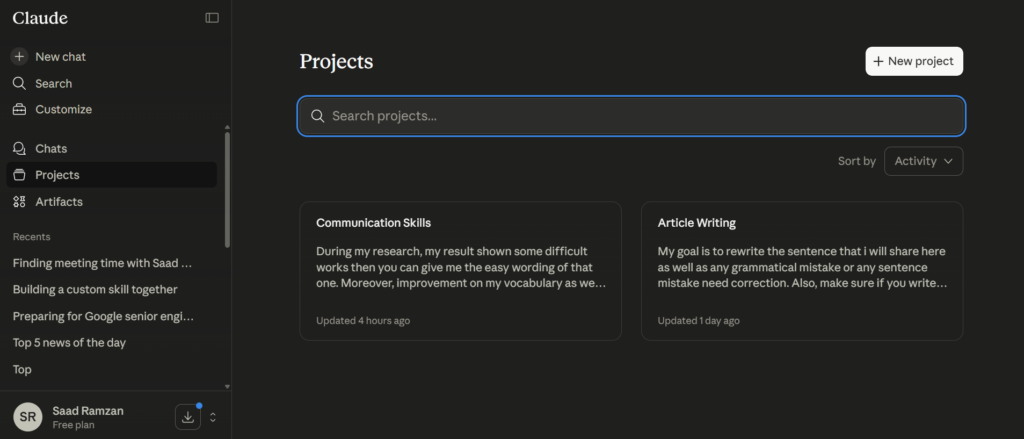
If you work on different things, this feature will help you a lot.
You can create separate spaces for:
- Content creation
- Business work
- Personal tasks
Everything stays clean and organized.
No confusion.
Connect Your Apps
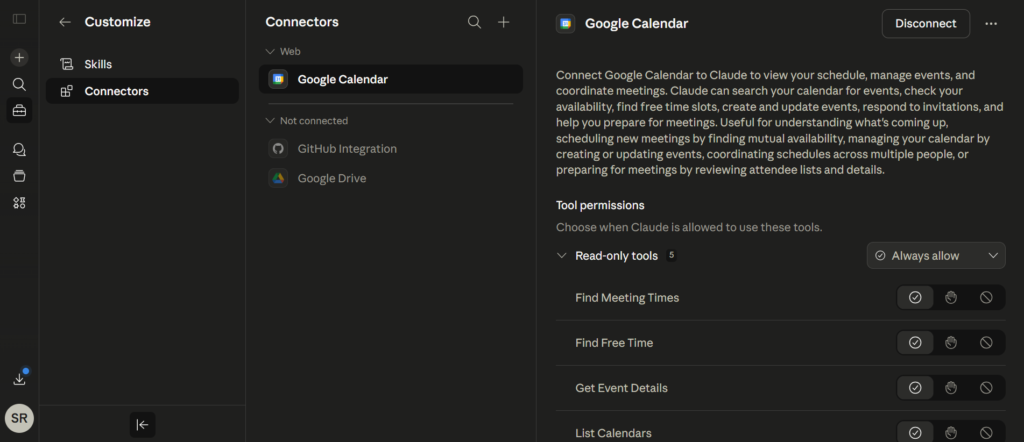
You can even connect tools like your calendar.
For example, you can ask:
“What meetings do I have today?”
And it will check for you.
You can also create meetings directly using Claude.
Feels like having a smart assistant.
Moving from ChatGPT? No Problem
One thing I was worried about was starting from scratch.
But Claude lets you import your data from other AI tools.
So whatever ChatGPT already knows about you—you can bring it into Claude.
Saves a lot of time.
Can You Make Money with This?
Yes—and this is the real opportunity.
You can use Claude for:
- Freelancing
- Content creation
- Social media work
- AI videos
- Business tasks
The demand for AI-based content is growing fast.
But very few people actually know how to use these tools properly.
That’s your advantage.
Final Thoughts
If you’re just starting, don’t overthink it.
Start with the free plan.
Explore slowly.
Try different things.
The more you use it, the more you’ll understand its real power.
One Question for You
Which AI tool are you currently using?
And what do you use it for the most?
Let me know—I’d love to know your experience.


How do I create videos using Claude AI? Please show me.
You can’t create videos directly claude ai website. For videos you can use claude Integration sites like remotion